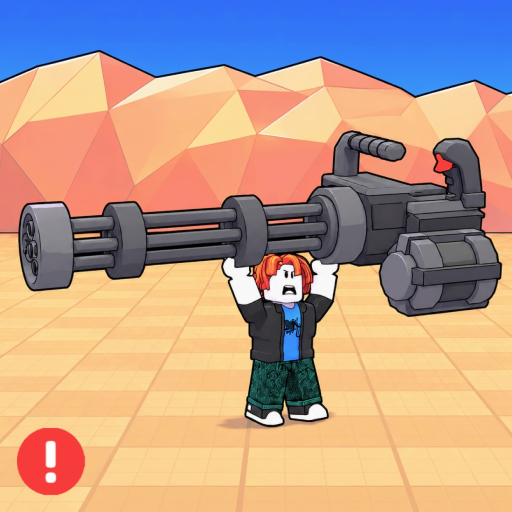
Build a Gun Army Beginner Guide - How to Play, First Gun, Coins and Waves
Quick answer
How to play Build a Gun Army as a beginner: first weapon purchase, coins, auto-fire, early waves, offline defense checks, and first upgrade choices.
Beginner Guide: How to Play
Build a Gun Army is a Roblox defense simulator where your guns fire automatically, enemies attack in waves, and coins fund better weapons. As a new player, your first job is not to chase a perfect build. Buy your first affordable gun, keep coin income moving, and add enough firepower that enemies stop reaching your base.
| Beginner question | Direct answer |
|---|---|
| What should I buy first? | Buy a low-cost gun that starts firing immediately, then add more steady damage before saving too long for an expensive option. |
| How do coins matter? | Pick up coins and reinvest them quickly; unused coins do not stop the next wave. |
| Do guns fire automatically? | Yes. The public Roblox description confirms automatic guns and offline defense as part of the game loop. |
| What should I do in early waves? | Watch where enemies leak through, then buy or upgrade weapons that cover that lane. |
| What is the first upgrade choice? | Upgrade only when the live damage gain solves your current wave problem better than buying another gun. |
First Gun and Opening Loop
Start with the cheapest reliable gun available in your current shop or buy menu. The exact best purchase can change after updates, so use the live UI instead of a copied tier list.
- Buy a gun that can begin firing right away.
- Let auto-fire handle the lane while you collect coins.
- Reinvest coins before the next wave stacks too many enemies.
- Add firepower where enemies survive longest.
First 10 Waves
In the opening waves, do not overthink a perfect build. You need enough automatic shots on the path to keep enemies from stacking up.
- Buy a cheap weapon line first.
- Upgrade only when the damage gain clearly helps your current leak.
- Keep coins moving; unused coins do not defend the base.
- Watch whether enemies die too late in the lane.
Coins and Spending
Use coins to solve the problem you can see:
| Problem | Spend on |
|---|---|
| Enemies leak through one lane | More steady fire or a better weapon covering that lane. |
| High-health enemies survive | Higher damage or burst weapon. |
| Waves clear but feel slow | Upgrade the weapon that fires most often. |
| You are near a rebirth milestone | Save enough to test whether one more push is worth it. |
Offline Defense
The Roblox description confirms that your guns fire automatically and defend offline. It does not publicly confirm exact offline coin income, offline XP, or offline luck values.
Track these separately:
- Confirmed: automatic guns and offline defense are part of the game description.
- Needs testing: exact offline coins, offline weapon XP, offline luck, and offline rebirth value.
Wave 10 to First Rebirth Prep
Players are already tracking milestones around Wave 10, Wave 20, Wave 35, Wave 50, and Wave 60. Treat these as observed gameplay checkpoints, not official permanent rules.
| Milestone | What to watch |
|---|---|
| Wave 10 | Luck, coin speed, and whether your early weapon line is falling behind. |
| Around Wave 20 | First rebirth or boss-related prompt in observed play. |
| Wave 35+ | Whether pushing farther is faster than rebirthing. |
Beginner Mistakes
- Buying one expensive weapon before covering leaks.
- Treating copied codes as real without checking the current game.
- Ignoring wave milestone screenshots.
- Confusing player-observed rebirth timing with official fixed rules.
- Upgrading a weapon because it looks rare instead of because it solves the current wave.
Next Pages
- Codes: current active-code status.
- Weapons: database fields and screenshot-backed weapon tracking.
- Rebirth: when to reset and what to record.
- Gamepasses: Roblox-verified pass prices and value notes.
Choose your next move
Related Guides
Once this question is solved, continue to the next decision without returning to search.
Build a Gun Army Boss Guide - Boss Waves, DPS Checks and Rebirth Prep
Build a Gun Army boss guide focused on boss pressure, wave milestones, DPS checks, reward recording, and rebirth preparation.
Build a Gun Army Multiplayer Guide - 6 Player Coordination and Wave Roles
Build a Gun Army multiplayer guide for coordinating up to 6 players, weapon roles, coin spending, wave pressure, and shared verification notes.
Build a Gun Army Waves Guide - Wave Milestones, Boss Pressure and Rebirth Checks
Build a Gun Army waves guide focused on observed wave milestones, boss pressure, rebirth timing, luck checks, and what to record while pushing.